For those who don’t want to read and just see the project, here’s the GitHub link: Local WordPress Supercharged add-on
If you work with a lot of sites in Local, you’ve probably felt a bit of friction here and there.
I started building this addon to smooth out some of those rough edges. It’s been evolving over time, and it now includes a handful of features that I personally reach for every day.
Here’s a quick look.
🔍 Site Search
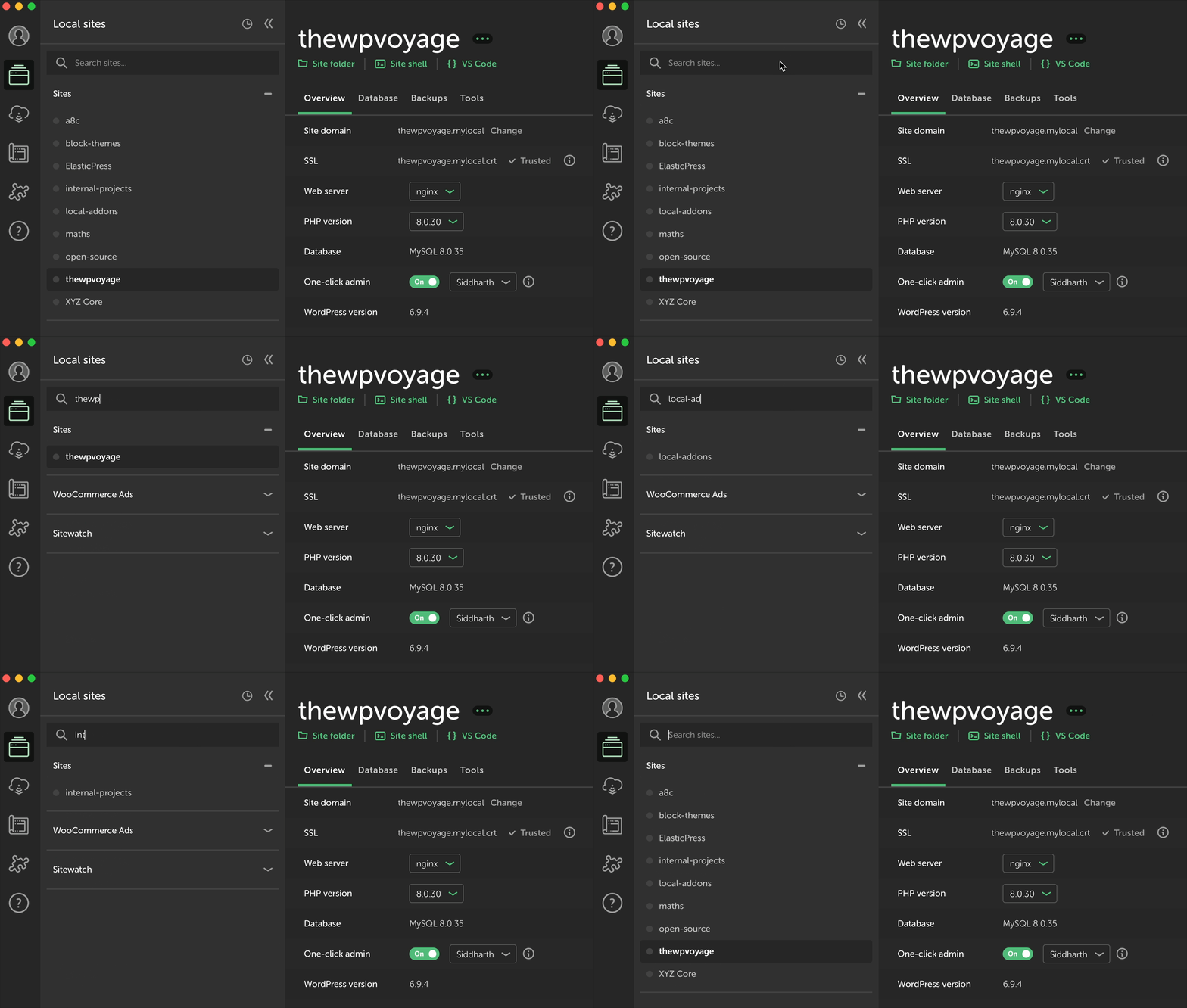
Local doesn’t have a built-in way to search through sites.
This adds a simple search bar that lets you find any site by name or URL, with results updating as you type. It stays pinned at the top, so it’s always accessible.
💾 Database Snapshots
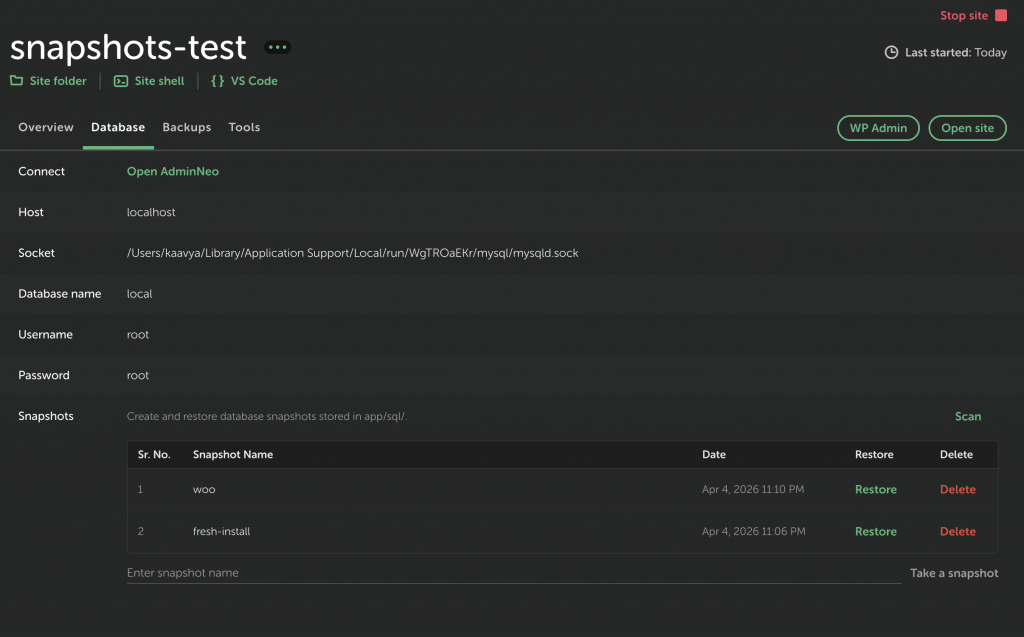
Quickly create and restore database snapshots without leaving Local.
Useful for testing changes, rolling back, or just having a safe checkpoint before trying something risky.
🔐 Vulnerability Scan
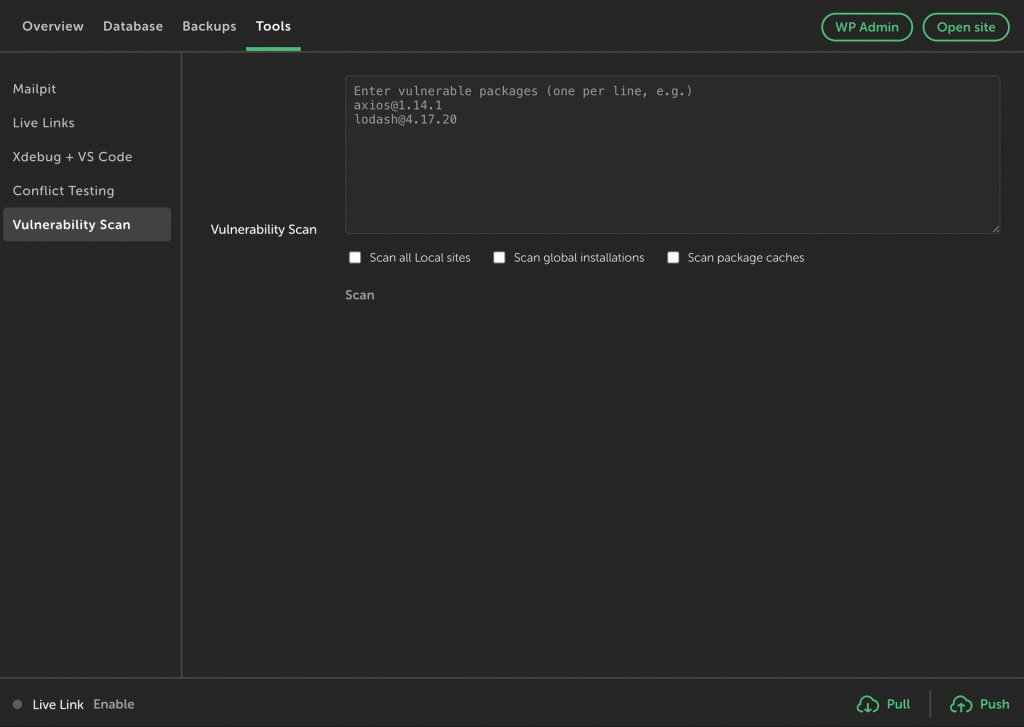
Scan your Local sites and environments for known vulnerable npm packages.
It checks lockfiles like package-lock.json, yarn.lock, and pnpm-lock.yaml, digs through node_modules, and even looks at global installs and package caches. Helps catch issues that are easy to overlook.
🔌 Conflict Testing
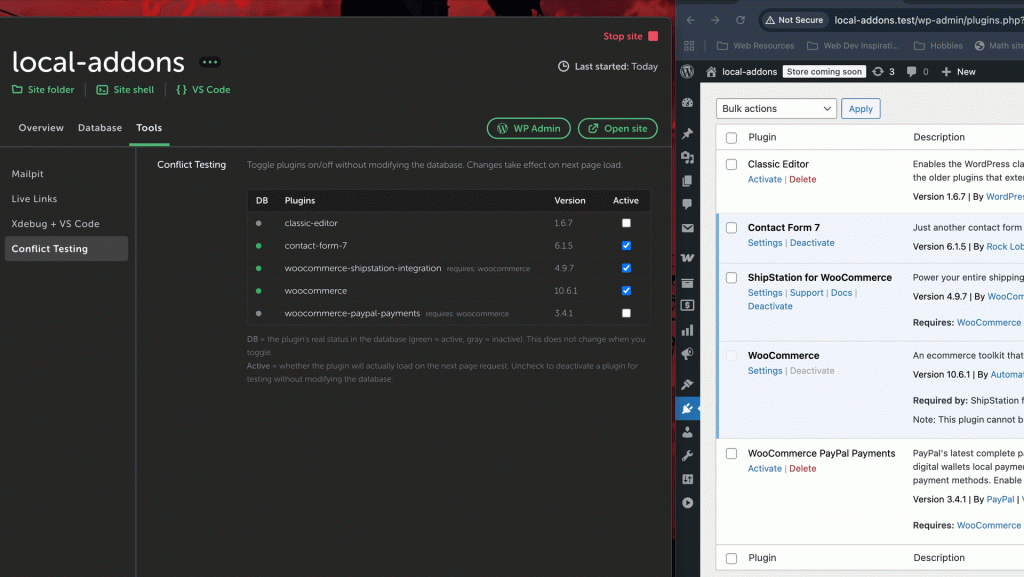
Test plugin conflicts without modifying the database.
You can toggle plugins on and off at runtime, reset everything instantly, and avoid messing with actual site state.
🐞 Debug Constants
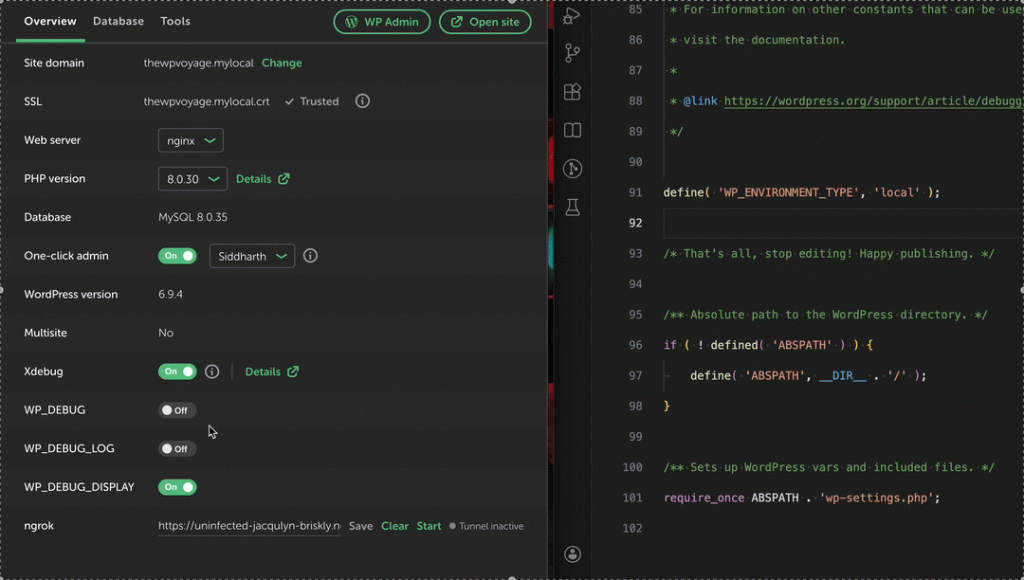
Toggle WP_DEBUG and related constants directly from the UI.
No more digging into wp-config.php every time you want to switch debugging on or off.
🌐 One-Click ngrok Tunnels
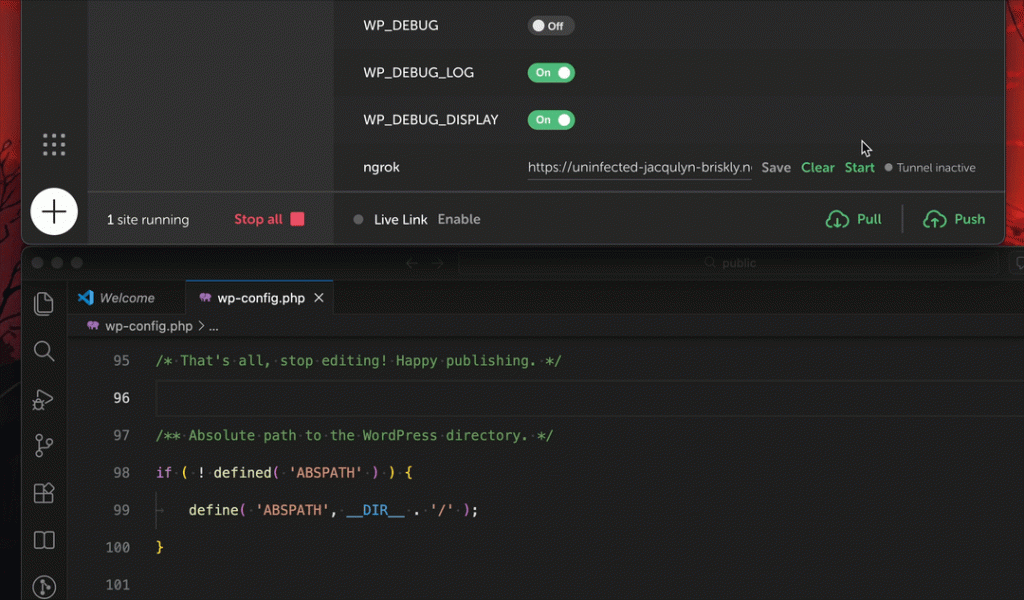
Expose a local site to the internet with a single click.
Start a tunnel, share the URL, and stop it when you’re done. No extra setup needed each time.
Closing thoughts
This started as a small quality-of-life improvement, but it’s turned into something that makes working in Local a bit smoother day to day.
If you spend a lot of time there, you might find it useful too.
Leave a Reply